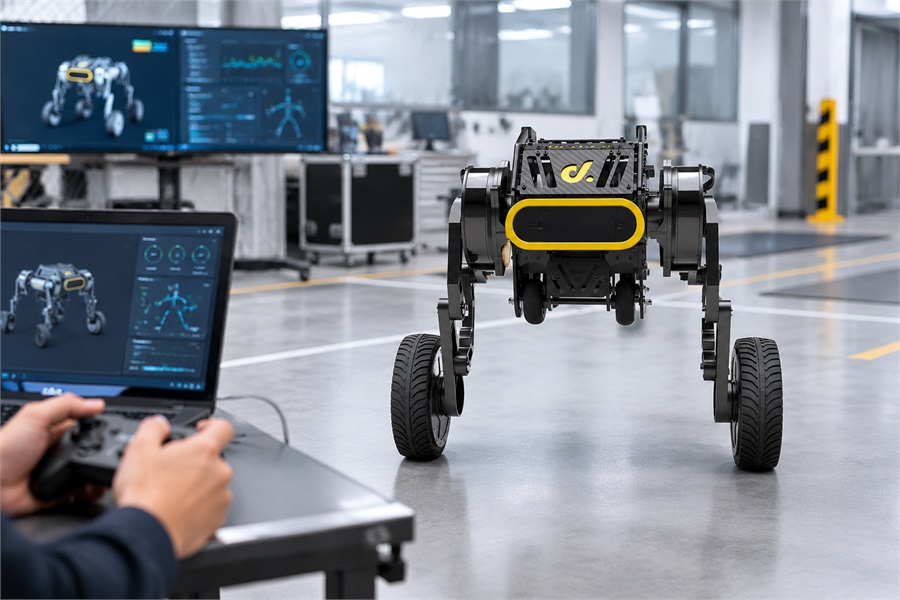
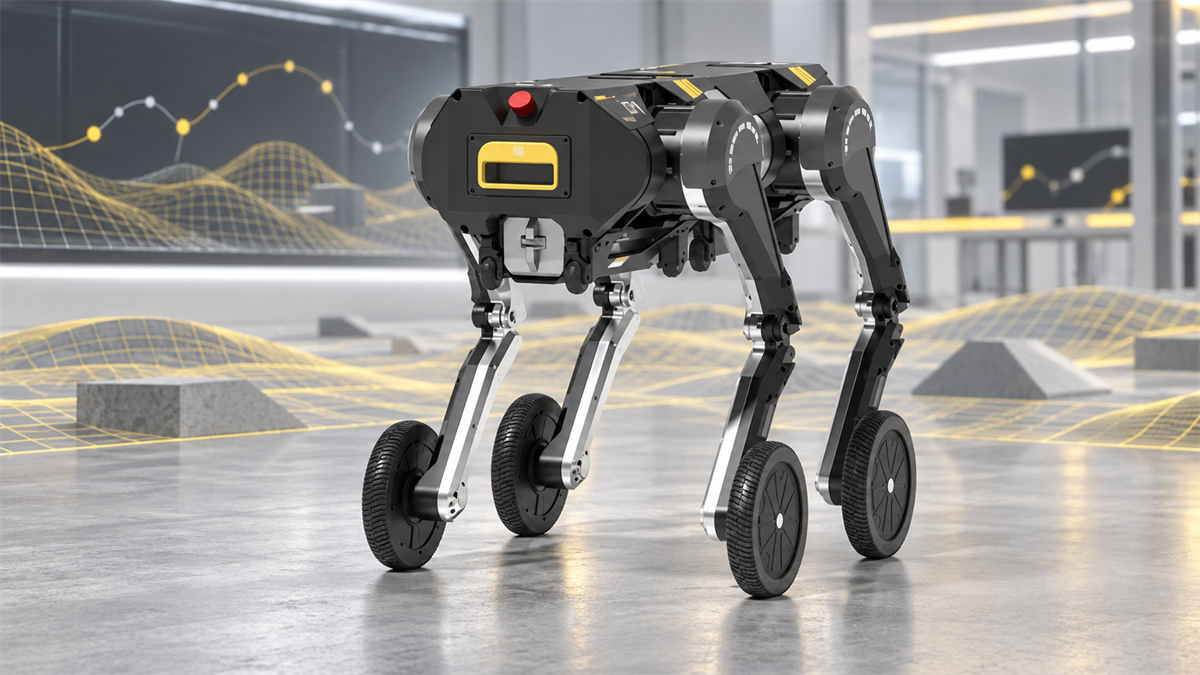
A programmable robot becomes valuable when a development team can connect its own software to the robot's motion, perception, and system controls. We position TITA for that workflow. Its ROS 2 development support, full-link API access, open Linux kernel source, and available motor interfaces give universities, laboratories, and robotics application teams a practical starting point for custom application development.
Instead of treating the robot as a closed machine with only remote-control functions, developers can build nodes and applications for navigation, inspection, mapping, perception, data collection, human-robot interaction, and custom payloads. TITA combines this software path with an NVIDIA Jetson Orin NX 16GB computer rated at 100 TOPS, an 8-DoF wheeled-bipedal body, and quasi-direct-drive joint modules. The result is a platform where onboard intelligence and responsive motion can be developed as one system.
What can the TITA API support?
The TITA API is intended to support the complete development chain rather than one isolated function. A team can start with high-level commands, add its own perception or decision-making logic, and then connect the application to the robot's motion and hardware interfaces as the project becomes more advanced. The recommended approach is to define that interface path at the start of the project, so the first prototype and the later application use a compatible architecture.
Motion and locomotion: Send posture, velocity, and operating-mode commands through ROS 2 interfaces for movement experiments, navigation behaviors, and custom control logic.
Perception and sensing: Build applications around camera, inertial, SPAD, ultrasonic, and optional accessory data for obstacle awareness, object detection, mapping, or site-specific inspection.
System integration: Connect application nodes to status monitoring, power-related functions, lighting, thermal management, and other robot services where the selected interface exposes them.
Hardware expansion: Use TITA Bridge and supported accessories such as a mapping tower, robotic arm, large wheels, or custom sensor equipment as the project requires.
Research and simulation: Move between real-robot testing and software development workflows that use ROS 2, MATLAB examples, Webots environments, or reinforcement-learning tools.
Our approach is to let teams start at the interface level they can validate quickly, then move toward lower-level control only when the research or application requires it. That staged path keeps early experiments manageable without closing off later development.
Interface availability depends on the robot configuration, software image, and development objective. Teams working close to the motor or joint layer should define those requirements early and confirm the required access before selecting a configuration.
How to connect control, motion, and sensor data
The most useful way to understand TITA's API is as a data path. Your application creates a command or decision. ROS 2 carries that information to the relevant control interface. The robot executes the motion, while sensors and system services return data that your software can use for the next decision.
| Development layer | Typical data or control | Application role |
|---|---|---|
| Application logic | Mission state, route, task rules, or user command | Decides what the robot should do |
| Locomotion interface | Operating mode, torso pose, chassis velocity | Translates behavior into movement |
| Perception interface | Images, detected objects, distance and motion information | Describes the environment around the robot |
| System interface | Status, power, thermal, lighting, and safety-related signals | Keeps the application aware of operating conditions |
For example, a campus inspection application can combine a route planner with a velocity command, use camera and depth-related data to recognize a blocked path, and then issue a new motion decision. A laboratory perception project can subscribe to image or detection messages without rebuilding the entire locomotion stack. A custom control study can work at a lower level when the required motor interface is available for the selected project.
Motion interfaces can include a robot status or finite-state-machine mode together with pose and velocity information. Perception interfaces can carry images, bounding boxes, and object labels. This separation helps developers test one layer at a time: first verify that a command reaches the robot, then validate sensor timing, and finally integrate the decision loop.
Why API access supports custom application development
Custom application development is slow when every experiment begins with reverse engineering, proprietary middleware, or a custom communication bridge. TITA reduces that initial workload by giving teams an established robotics environment to extend. ROS 2 provides a familiar structure for nodes, topics, services, packages, and launch files, while the available development interfaces keep application code closer to the behavior being tested.
This structure is especially useful for teams that need to compare several approaches quickly. A student group can prototype a navigation node without changing the robot's core firmware. A research lab can replace a perception model while keeping the same motion pipeline. An integrator can add a payload-specific workflow and reuse status, motion, and sensor connections across test iterations. We encourage teams to keep the first experiment narrow, measure the interface behavior, and expand only after the basic command and data paths are stable.
The development materials also provide a more direct path from first setup to working code. The TITA tutorials and development resources include setup videos, the user manual, and the Ubuntu development manual. The TITA download center provides product and development documentation, while the Direct Drive Tech robotics repositories offer examples and tools that can help a team evaluate control, simulation, MATLAB, reinforcement learning, and data interfaces. Always match sample code to the current robot software and manual before using it in a field test.
How 100 TOPS computing and quasi-direct-drive motors support software
TITA's 100 TOPS computing capability is relevant because many custom robotics applications need local decisions rather than a constant connection to a remote computer. The NVIDIA Jetson Orin NX 16GB platform can host perception, sensor-fusion, planning, and application processes on the robot. That makes it possible to process camera and ranging data near the motion system, reduce dependence on network latency, and keep a development prototype self-contained.
Computing power alone does not make a robot responsive. The software must also command a body that can react predictably. TITA uses an 8-DoF wheeled-bipedal structure with quasi-direct-drive joint modules; its six joint modules can deliver peak torque up to 120 N·m. This combination gives developers a useful bridge between high-level autonomy and physical movement. A perception model can identify an obstacle, a planner can update the desired path, and the locomotion controller can apply posture and velocity changes through the robot's motion interfaces.
We also encourage teams to profile the complete loop, from sensor timestamp to application decision and motor response, rather than judging the computer or actuator in isolation.
For control experiments, the development interface is designed around update rates in the 30 Hz to 300 Hz range. The correct rate depends on the control layer, algorithm, sensor timing, and safety requirements. Teams should separate high-level mission decisions from faster control loops, measure end-to-end timing, and validate behavior with the robot lifted or otherwise secured before testing movement on a live site.
Why TITA fits universities, laboratories, and robotics teams
TITA is a strong fit when the project needs a complete mobile robot body but the final application is still being designed. Universities can use it for ROS 2 teaching, perception classes, motion control, autonomous navigation, and embodied-AI experiments. Research laboratories can evaluate mapping, sensor fusion, reinforcement learning, inspection, or mobile manipulation. Application teams can use the same platform to prototype an inspection route, data-collection workflow, delivery behavior, or custom accessory.
The 8-DoF body and wheeled-leg structure are useful for projects that need more terrain adaptability than a conventional wheeled base, while the wheel-based drive supports efficient movement across suitable surfaces. TITA's modular expansion path also allows the hardware to change as the research question changes. A team may begin with onboard cameras and built-in sensors, then add a mapping tower, LiDAR, a robotic arm, or another supported module after the software architecture is stable.
Before ordering or beginning integration, define the operating environment, payload, desired speed, sensor set, ROS 2 workflow, battery plan, safety controls, and required API depth. Confirm whether the project needs high-level motion commands, perception data, direct motor access, accessory integration, or all four. That checklist prevents a common mistake: choosing a robot for its headline computing specification without verifying that its interfaces match the actual research or application plan.
Discuss Your TITA Application and API Requirements
When teams begin working with TITA, we recommend a simple, staged process. Start by reviewing the TITA development manual and product manual, complete the introductory setup, and identify the ROS 2 topics, services, and message types required for your first experiment. Begin with a focused test—such as reading a sensor stream, sending a controlled velocity command, or checking system status—to confirm that the basic data and control paths work as expected. Once those paths are stable, build the application step by step by adding perception, planning, accessories, or lower-level control.
If you are planning a university course, laboratory project, inspection system, mapping workflow, or custom payload integration, use our contact page to discuss your requirements with us before ordering. We can help you match the target application, environment, payload, sensors, software stack, quantity, and desired interface depth to the appropriate configuration, while clarifying the development materials and API access needed for your project. Send us your application goals and integration requirements to begin a focused configuration discussion and move from an initial concept toward a testable robotics application.