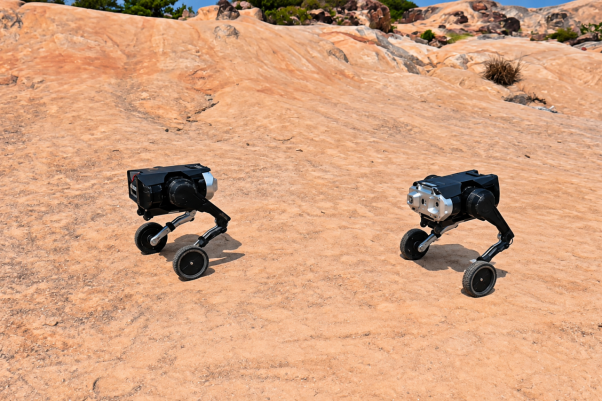
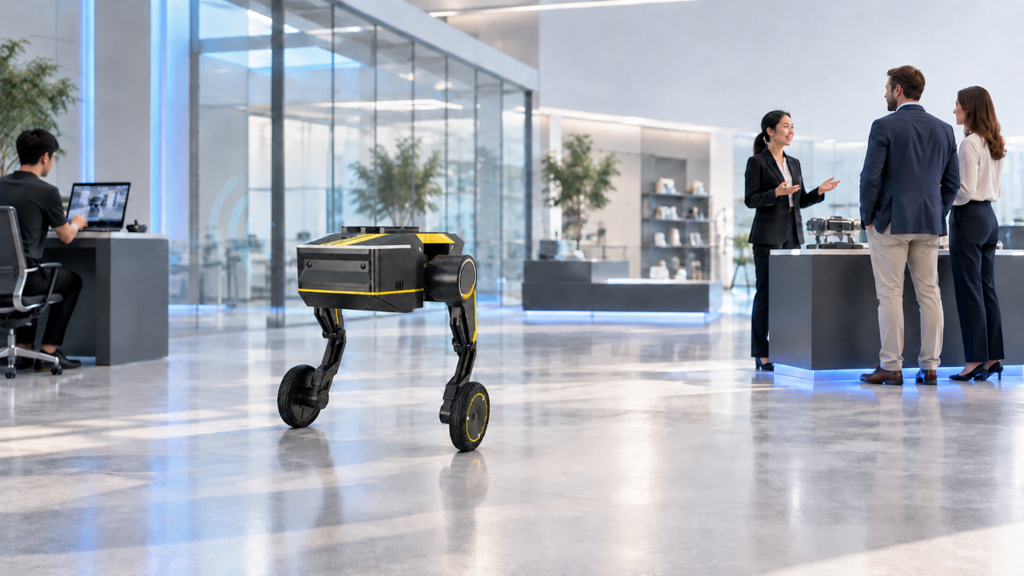
Can TITA run at 5 m/s, and is the faster mode worth using? Its published maximum speed is 3 m/s, with up to 5 m/s available through an API unlock when the project environment and safety controls are suitable. Anyone weighing a high-speed robot needs the speed that holds up in practice: one you can repeat with your own payload, battery level, ground and stopping space, and one that actually cuts task time.
We build TITA at Direct Drive Tech, and everything here draws on our own published specs, user manual and developer documentation.
3 m/s or 5 m/s: Which Number Can You Actually Count On?
The two speed figures in TITA's specifications carry different weight, and only one of them comes standard.
One Speed Comes Standard, the Other Has to Be Earned
| Spec | Published figure | What the figure leaves open |
|---|---|---|
| Standard top speed | 3 m/s | Average speed on the real route |
| Unlocked top speed | Up to 5 m/s via API unlock | Project eligibility, wheel setup, route and stop controls |
| Moving payload | 10 kg | Speed allowed at that load, mounting, center of mass |
| Runtime | About 1 hour per battery, about 2 hours with two hot-swappable batteries | Runtime at the tested speed, load and surface |
Payload and top speed are published separately, so the specifications do not establish a 10 kg payload at 5 m/s. The public TITA ROS 2 SDK reinforces that distinction: its maximum-speed setting has a documented default and upper limit of 3.0 m/s. Changing that public setting cannot enable 5 m/s; Contact Direct Drive Tech to confirm the available configuration and whether it suits the intended environment and safety controls.
The Hidden Rules That Slow the Robot Down
The TITA user manual adds rules that can settle a test result before the speed setting does.
Drop the body to its low-height position and speed is capped at 2 m/s. Add a 10 kg load and the medium and high speed gears are off limits. Once total charge falls below 35% (battery voltage under 42.5 V), high-speed running and jumping are restricted. The sensors also can't pick up downhill slopes or sunken road surfaces, and the manual rules out the medium and high gears anywhere near children or older people.
Why 2 Extra m/s Nearly Triples the Energy in Every Stop
In everyday units, 3 m/s is 10.8 km/h and 5 m/s is 18 km/h, a 66.7% increase. Because kinetic energy rises with the square of speed, the same mass carries about 2.78 times as much energy at 5 m/s as at 3 m/s. That applies to the 24.1 kg body (battery excluded) and to everything mounted on it. These are physics calculations, not measured TITA results.
The user manual puts it plainly: the metal body carries large kinetic energy at high speed and needs braking distance, so it belongs in open, safe areas away from crowds and roads.
Stopping distance doesn't follow the energy ratio neatly. A real stop includes the ground covered while a command or detection works through the system, and the deceleration the controller can hold changes with grip, payload and posture. Higher speed also loads up traction, payload stability, control response, battery draw and heat. If any of them deteriorates, the higher peak speed hasn't produced a deployable gain.
A Quarter of a Second Across the Default Detection Range
The onboard obstacle detector shows how fast the margins tighten. It reads the front time-of-flight sensors, works out to 1.3 m by default, and publishes at 15 Hz.
| Calculated from published defaults | 3 m/s | 5 m/s |
|---|---|---|
| Time to cross the 1.3 m detection range | 0.43 s | 0.26 s |
| Distance covered between 15 Hz updates | 0.20 m | 0.33 m |
At 5 m/s, the robot crosses its short-range detection zone in about a quarter of a second. On unlocked runs, a cleared route and a marked stop zone are necessary controls alongside supervised operation, control handover and the defined stop procedure. How TITA combines its sensors for 3D perception covers the wider sensing setup.
Before You Unlock: Wheels, Add-Ons and Handing Back Control
Wheel choice affects grip and rolling diameter. A TITA Tower, robotic arm or other TITA Bridge attachment also changes mass distribution and center of gravity, so each becomes part of the recorded test setup. The manual’s 50-minute single-battery figure came from continuous low-speed forward travel until automatic stop; it does not predict runtime on an unlocked route.
External SDK control adds a separate question: who has control when the run ends? In USE-SDK mode, the remote is limited to standing the robot up or laying it down, and SDK control may remain active after the launch process closes. If that happens, the quick start directs the operator to turn off USE-SDK on the remote. This returns control to the remote, but it does not demonstrate braking or emergency-stop performance. Stopping the robot, confirming standstill and handing back control remain separate checks for the project’s actual control setup. The TITA tutorials show the baseline SDK workflow.
How to Test a High-Speed Robot Without Fooling Yourself
A speed comparison only means something when nothing else changes between runs. The method below is informed by ISO 18646-1 for wheeled locomotion and ISO 18646-5 for legged locomotion. The first was published in September 2016 and the second in July 2026. This is a practical site comparison, not a full ISO conformity test or a safety certification.
Freeze Every Variable Except Speed
Each test block starts with a written configuration record, and any change opens a new block. Record the system and ROS 2 package versions, control method, every setup choice above, starting charge, route length, surface, slope and stop procedure. Two environmental limits are easy to miss: camera-based measurement needs more than 200 lux without direct sunlight, and the robot's operating range is -10 °C to 45 °C.
Make It a Fair Race
Run both speeds on the same course between the same start and finish marks, at a similar starting charge, with one stop command throughout. Agree on what counts as a full stop before anyone presses go. Several valid runs per mode say far more than a single peak.
Measure What the Job Actually Needs
Most of the raw data comes from ROS 2 without extra hardware. Speed commands travel through the motion-command topic, which carries forward speed and turning rate in a form that is easy to log. Joint-state and IMU data reveal wobble during hard braking. A timing gate, measured course or overhead video provides an independent check on actual speed.
Each run then logs commanded and measured speed, acceleration distance, course time, stopping distance, battery change, route deviation, payload shift and any warnings.
Reading the Results: When Faster Doesn't Finish Sooner
A speed setting proves nothing on its own. What counts is what the robot did with it, run after run, in one fixed configuration, and each line of the comparison points to a decision.
| Test item | What it reveals | Decision consequence |
|---|---|---|
| Exact configuration | Whether the two modes are comparable | Retest if the payload, wheels or attachments differ from the final setup. |
| Peak measured speed | Whether the target is held or only touched | If the robot touches 5 m/s only briefly, the route has not validated that speed. |
| Average speed and course time | Real time saved per lap | Keep 3 m/s if the unlocked setting does not shorten the run. |
| Acceleration distance | How much of the course goes to getting up to speed | The route is too short to benefit if acceleration takes up most of the course. |
| Full-stop distance | How large a stop zone each mode needs | Do not unlock the speed if the robot overruns the marked stop zone. |
| Battery change | Charge used per lap | Keep 3 m/s or plan battery swaps if energy use breaks the runtime plan. |
| Spread across valid runs | Repeatability | The higher setting is not ready for a pilot if results vary widely. |
| Warnings, interventions, route drift | Control stability and safety margin | Do not deploy the higher setting if warnings, interventions or route drift increase. |
Any loss of route tracking, payload stability or data quality rules out the faster setting as well. A clean result still speaks only for its own configuration: an unloaded run says nothing about 10 kg, and a smooth indoor floor says nothing about rough paving. When repeated runs cut total task time without hurting repeatability, the stop plan or the runtime plan, 5 m/s has earned a controlled pilot on that route.
Which Speed Fits Your Route?
With the numbers in hand, the route decides which mode earns its place.
When 3 m/s Is All You Need
The standard 3 m/s mode is often the better starting point for inspection and mapping routes with frequent stops, tight turns or sensor dwell time. On those routes, a higher peak speed may not shorten total task time, and how to evaluate a SLAM mapping robot explains which factors matter more than top speed. A slower mode is no free pass, though. Indoor spaces shared with people still need a site risk assessment at 3 m/s.
When Unlocking 5 m/s Pays Off
Up to 5 m/s is worth a look on long, open stretches with few stops, in high-speed mobility research, for time-sensitive point-to-point moves, for outdoor tests with a known wheel setup, and in integrator-led projects with defined stop controls. The test area has to be open, closed to the public and long enough to stop in, in line with the manual's ban on crowded places and public roads. Rain, standing water and bad weather rule a site out as well, and the built-in limits covered earlier apply at every speed setting.
So, Is the Extra Speed Worth It?
For a high-speed robot, the better mode is the one that stays repeatable on your route, with your payload and your stopping plan. We treat 3 m/s as the documented baseline and up to 5 m/s as a project-specific option that has to win on total task time.
Thinking about an unlocked configuration? Send our engineers your route, wheel setup, payload, control method and stopping requirements. Those details help us discuss whether the standard mode, a controlled unlocked pilot, or a revised route or hardware setup is the better next step.
Frequently Asked Questions
Is 5 m/s TITA's default speed?
No. TITA runs at a 3 m/s standard maximum, and 5 m/s is reached only through a project-specific API unlock.
Can TITA carry 10 kg at 5 m/s?
No combined figure is published. The user manual goes further: with a 10 kg load, the medium and high speed gears are off limits.
Does the 2-hour runtime apply at 5 m/s?
No runtime figure has been published for 5 m/s, so it has to be measured on your own route, surface and payload.